DaVinci Resolve & Adobe Training

DaVinci Resolve and Adobe training in Melbourne and remote

You've watched the tutorials. Something still isn't clicking.

One-on-one DaVinci Resolve, Premiere Pro, Final Cut Pro workflow, After Effects, Photoshop and Lightroom training - built around your project, your workflow, and your specific gaps. Not a curriculum. Not a course. A conversation with someone who uses these tools on real jobs, in Melbourne or online.

I grade and finish commercials for a living, and I coach Adobe Creative Cloud at RMIT University's Adobe Hub. Sessions come from that: current practice, real constraints, and the shortcuts that only show up on paid work.

One-on-one sessions start from $100/h. Team training and project-based blocks are quoted once the scope is clear.

One-on-one sessionsRemote or in person in Fitzroy, MelbourneOne-on-one sessions from $100/hTeam and project blocks quoted on request
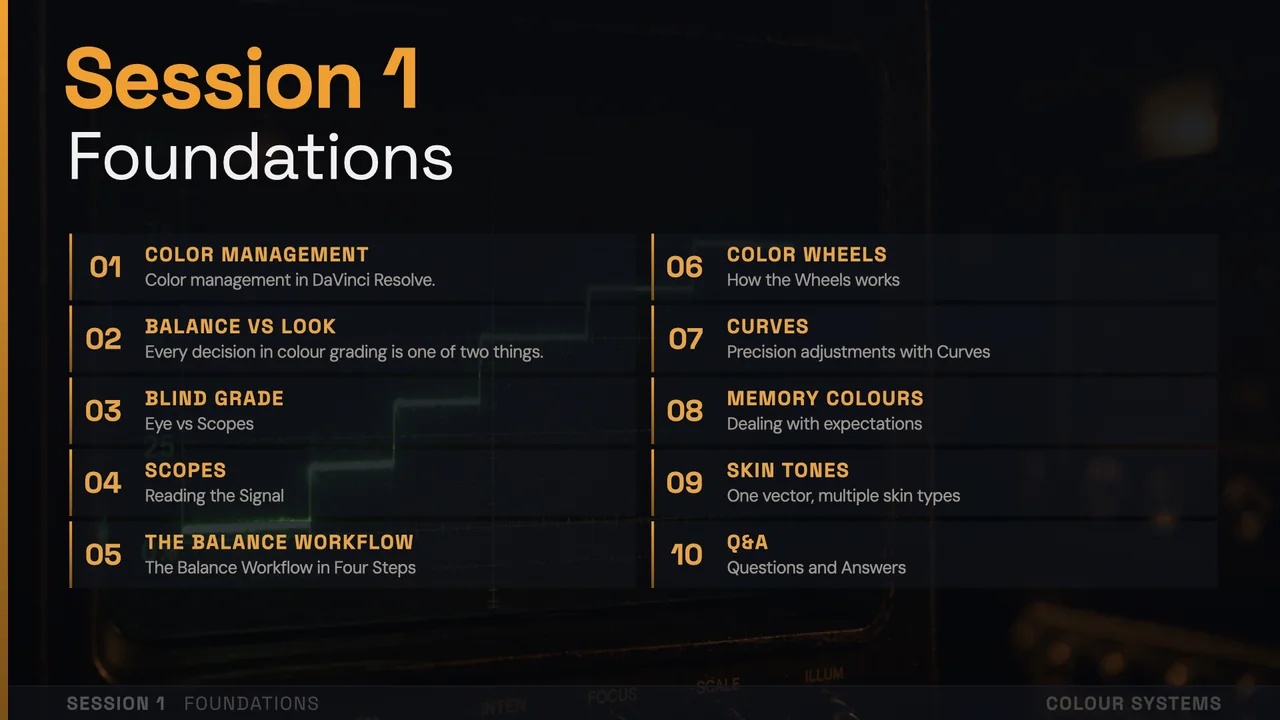
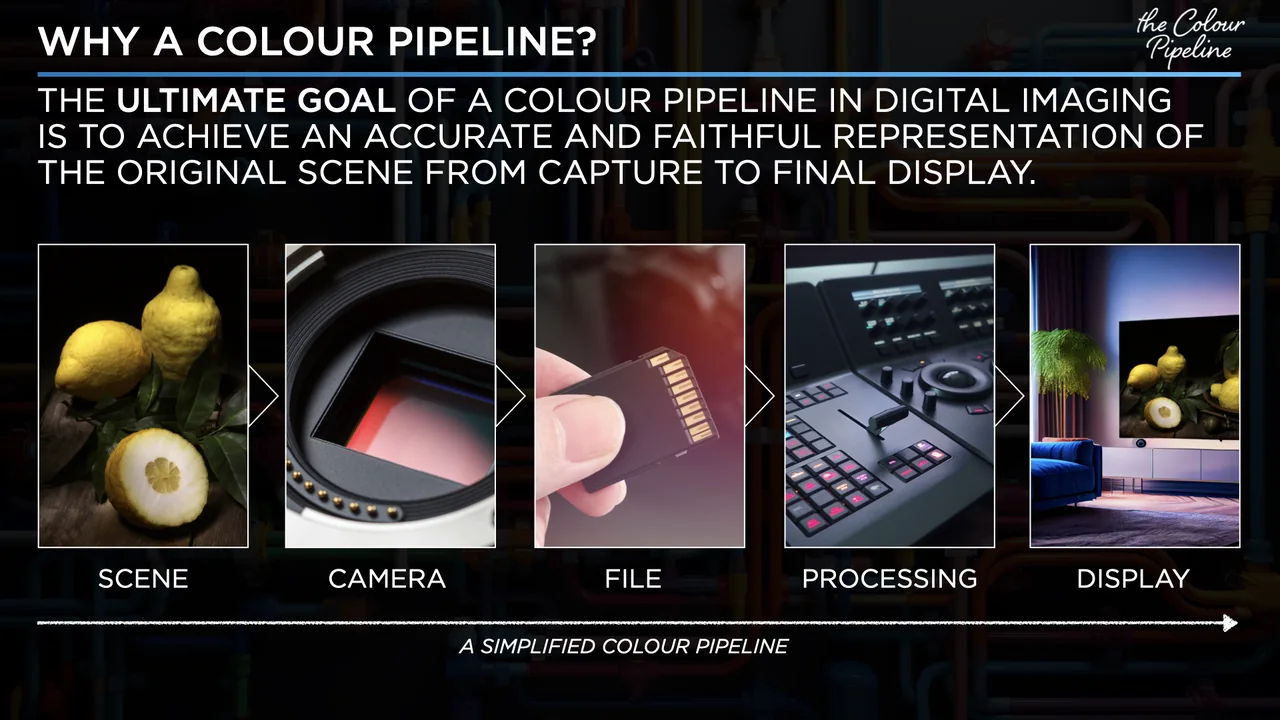
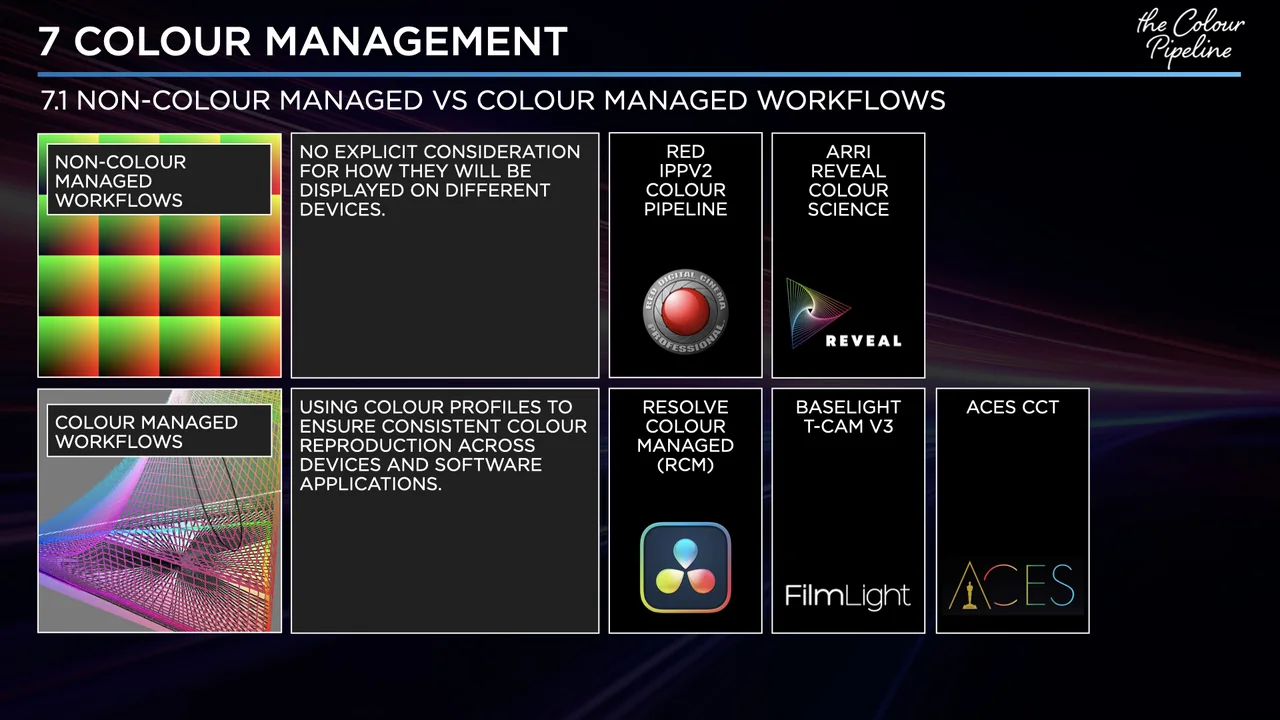
Colour Systems foundations slide for a DaVinci Resolve colour training session

DaVinci Resolve

Edit, grade, deliver fast

Resolve is powerful because it joins edit, grade, audio, VFX, and delivery in one place. Sessions focus on the part you actually need, using your footage, your timeline, and the gaps slowing you down.

For Editors, colorists, DOPs, directors, and content creators who want to work in Resolve properly - not just survive in it.

Ask about Resolve

Adobe Premiere Pro

Timeline flow, handoff, and exports

Premiere sessions are about speed, organisation, and fewer avoidable mistakes. We work on sequence structure, multicam, Dynamic Link, exports, and the handoffs that keep projects moving cleanly.

For Editors at any level who want to work faster, waste less time troubleshooting, and stop rediscovering the same things repeatedly.

Ask about Premiere

Final Cut Pro workflows

Libraries, handoff, and finishing

Final Cut Pro sessions focus on getting from a clean edit to a clean finish: library structure, media management, roles, XML handoff, review exports, and moving projects into Resolve when the grade or delivery needs it.

For Editors, videomakers, and small teams who like cutting in Final Cut Pro but need stronger workflow habits around delivery and collaboration.

Ask about Final Cut

After Effects

Animation and compositing basics

After Effects gets easier once the structure makes sense. Sessions cover motion basics, compositing, pre-comps, expressions, and the points where After Effects and Premiere usually start wasting your time.

For Editors moving into motion, motion designers filling technical gaps, and anyone who has been faking their way through expressions.

Ask about After Effects

Adobe Photoshop

Retouching, masking, finishing

Photoshop sessions focus on the detailed end of the image: retouching, masking, cleanup, compositing, and the small technical decisions that make stills feel properly finished.

For Photographers, retouchers, designers, and content creators who want more control over the final image instead of relying on guesswork.

Ask about Photoshop

Adobe Lightroom

Catalogues, grading, batch flow

Lightroom sessions are about speed and consistency across whole bodies of work. We can focus on catalogue structure, colour workflow, batch editing, exports, and keeping large libraries manageable.

For Photographers and image-makers who want a cleaner, faster workflow from ingest to export.

Ask about Lightroom

Adobe Suite as a System

Connected suite-wide production

This is for people using the Adobe suite all day but feeling the workflow is messier than it should be. We look at file structure, asset flow, shared libraries, Acrobat, Illustrator, InDesign, Media Encoder, and which tool should handle which part of the job.

For Designers, creative directors, and production teams who live inside Adobe all day and suspect there is a smarter way to organise it all.

Ask about Adobe workflows

Adobe Express

Fast branded content systems

Adobe Express is best when speed and consistency matter at the same time. Sessions cover brand kits, templates, simple motion, and repeatable content systems that do not need a full design team behind them.

For Marketing teams, content creators, educators, and small business owners who need to produce consistent, professional-looking content quickly and without a steep learning curve.

Ask about Express

In person

Face-to-face sessions are available in Fitzroy at 204 Napier Street.

Remote

Online sessions work well for screen-sharing, live troubleshooting, and focused workflow fixes.

Gwendolyn testimonial avatar
Matteo's pace was just right for me. He was clear in his instructions, logical in his flow of teaching, and happy to answer my questions.

GwendolynDaVinci Resolve · Melbourne

Tim testimonial avatar
Matteo knows all the technical aspects of DaVinci Resolve very well, answered all my detailed questions, and communicated the concepts in an easily digestible manner. Happy to recommend him to others.

TimDaVinci Resolve · online

Diego testimonial avatar
We covered the basics of multicam editing and he picked up the concepts quickly. Matteo tailored the session completely to the project I was working on.

DiegoDaVinci Resolve · music video project

Brian testimonial avatar
Fantastic session. Matteo is very knowledgeable, very clear, and quick to diagnose exactly what was slowing me down in my workflow.

BrianDaVinci Resolve · online

FAQ

The questions that come up before booking.

Do I need my own footage or project to book a session?

No, but it helps. Sessions are built around whatever you are actually working on, so bringing your own timeline, footage or catalogue makes the time far more useful. If you do not have a project in front of you, we work on supplied material instead.

Do you teach complete beginners?

Yes. If you are opening Resolve, Premiere, Final Cut Pro or an Adobe app for the first time, we start from the interface, the basic language, and one small practical goal. You do not need to arrive already fluent.

Are sessions in person or online?

Both. Face-to-face sessions run in Fitzroy at 204 Napier Street, Melbourne. Remote sessions run over Zoom, Teams or Google Meet and work well for screen sharing, live troubleshooting and focused workflow fixes.

What does a session cost?

One-on-one sessions start from $100/h. Team or project blocks are quoted on request. Tell me what you are working on and what you want to walk away able to do, and I will suggest a simple structure before anything is booked.

Which software do you cover?

DaVinci Resolve, Adobe Premiere Pro, Final Cut Pro workflows, After Effects, Photoshop, Lightroom, Adobe Express, and the rest of the Adobe suite as a connected production system. Resolve and Premiere are the most requested.

Can you train a whole team?

Yes. Team and project blocks are quoted on request, and they usually work best when built around one real job the team is delivering rather than a generic curriculum.

Enquiry

Drop me an email

Tell me what you are trying to learn, where you are stuck, and whether you prefer remote or in-person. No need to choose a package or pay anything before we have worked out what would actually help.