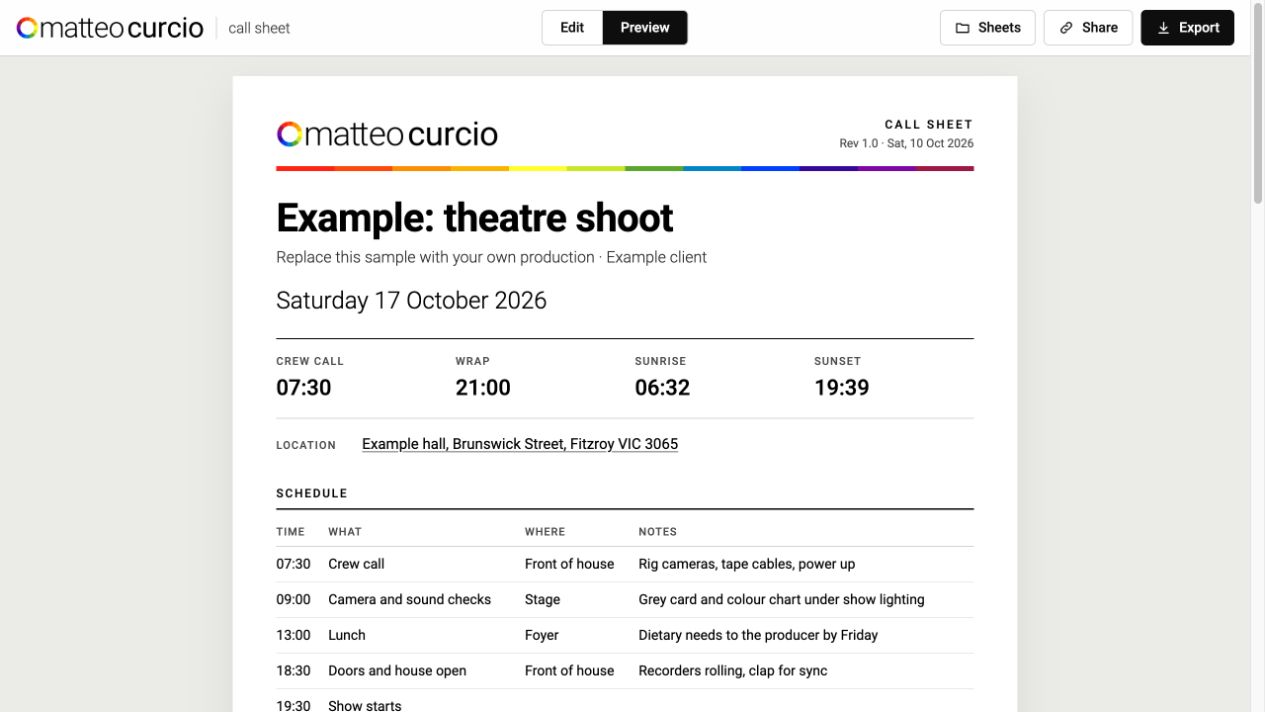
A Call Sheet That Knows Where the Sun Is
A fillable shooting-day call sheet that works out sunrise, sunset, golden hour and sun direction from the location, adds the forecast, and exports to PDF, calendar or a read-only link.
The problem
A call sheet is the one document everybody on a shoot actually reads. It is also, most of the time, a Word template that someone copied from the last job, with last month’s sunrise time still in it.
The information that matters most on a small production is rarely the schedule. It is the light. When does it get usable, where does the sun come up relative to the building, how long do I have before the hard midday light, when does the golden hour start. Those answers live in three or four separate apps, and someone has to look them up, round them, and type them in. Then the date moves and nobody updates them.
So the brief was simple. Type a date and a place once, and let the sheet work out everything that follows from those two facts.
The sheet is built from the place and the date
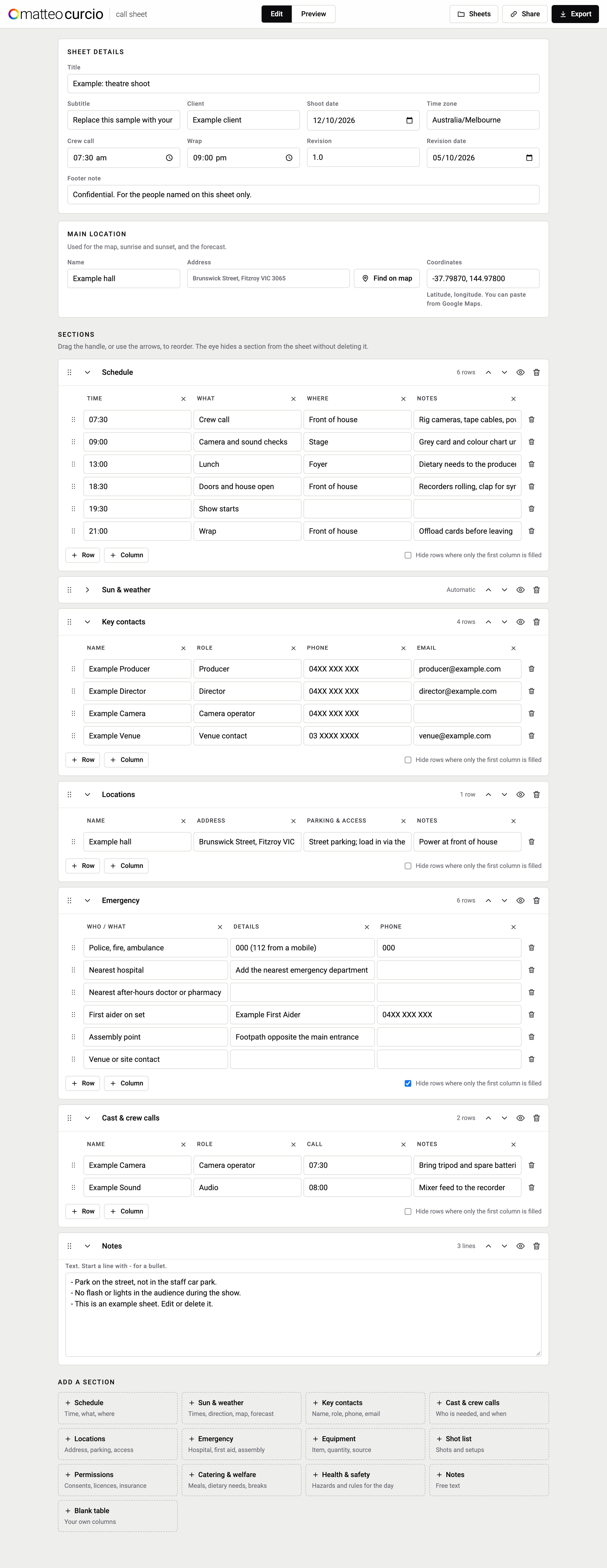
There are two blocks at the top. Sheet details holds the title, client, shoot date, time zone, crew call, wrap and a revision number with its date. Main location holds a name, an address and a pair of coordinates.
The address field has a Find on map button that looks the address up on OpenStreetMap. The coordinates field also accepts a pasted Google Maps position, because that is how most locations arrive in practice: someone drops a pin and sends it.
Once there is a date and a position, the Sun & weather section fills itself in. Nobody edits it, which is the point.
Light, calculated rather than looked up
The sun section is computed in the browser from the coordinates, the date and the time zone. No service needs to answer for it to work. It gives first and last light, sunrise and sunset, the end of the morning golden hour and the start of the evening one, and solar noon with the sun’s highest angle for the day.
The calculations use SunCalc’s definitions, so the assumptions are explicit. They are planning estimates: terrain, buildings and cloud cover can still change the light on location. Sunrise and sunset are the moment the top of the sun touches the horizon. First and last light are civil twilight, the sun six degrees below the horizon. Golden hour is the window while the sun is lower than six degrees above it.
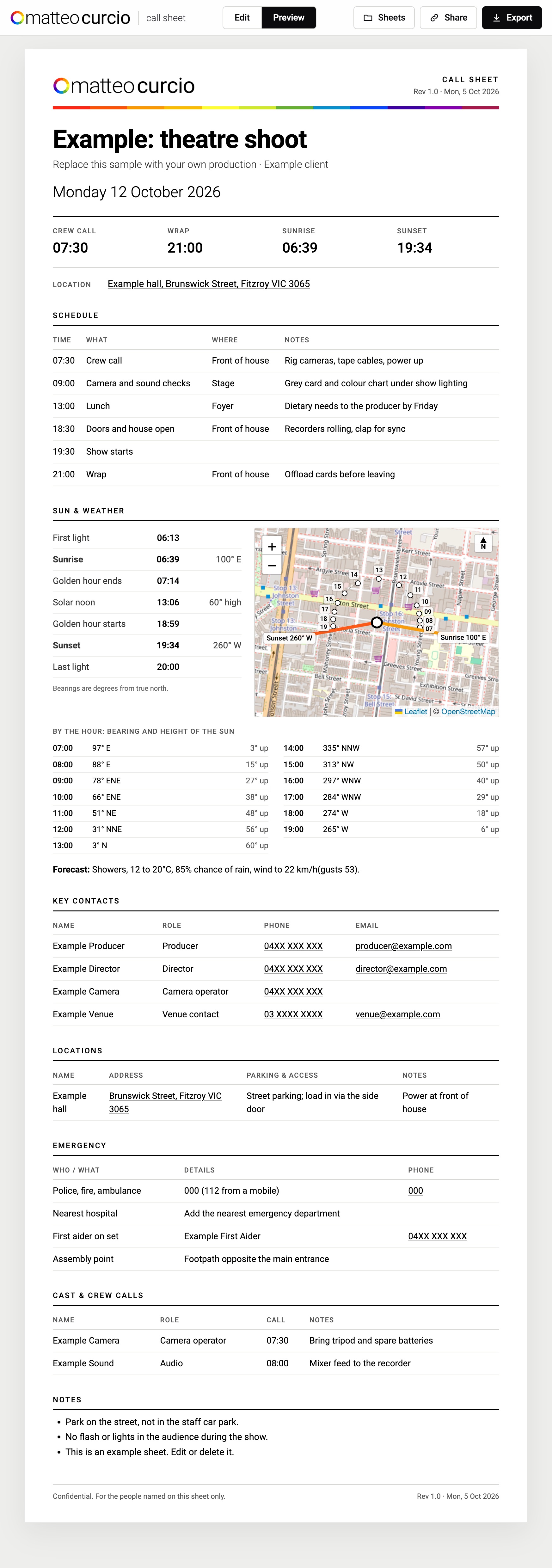
Times alone are not enough when you are deciding which way a window faces or where to park the camera. So sunrise and sunset each carry a compass bearing, and there is an hourly table of where the sun sits and how high it is, from the first full hour after sunrise to the last before sunset. For the example sheet in Fitzroy on 12 October 2026, that reads as sunrise at 100 degrees east, the sun almost due north and 60 degrees up around solar noon, and sunset at 260 degrees west.
The map makes the same information visual. It draws the location with orange lines towards sunrise and sunset and drops a small numbered marker for each hour along the sun’s path. For an exterior, that is usually the first thing a camera operator looks at.
The forecast is a hint, not a dependency
The weather line comes from Open-Meteo: conditions, temperature range, chance of rain, wind and gusts, for the shoot date at the location. It is short on purpose. A call sheet goes out days before the shoot, and a forecast that far out is a heads up, not a plan.
If the forecast cannot be fetched, the sheet still works. The sun times do not depend on it, and nothing else in the document waits for it.
Sections you can rearrange, hide or invent
Every production needs a slightly different sheet, so the body is a list of sections rather than a fixed layout. The library covers the usual ones: schedule, key contacts, cast and crew calls, locations, emergency, equipment, shot list, permissions, catering and welfare, health and safety, and free notes. When none of those fit, a blank table takes your own columns.
Sections can be dragged or moved with arrow buttons. The eye icon hides one from the sheet without deleting it, which is useful when the same document goes to crew and to a client who does not need everyone’s phone number.
The emergency section starts with 000, and 112 from a mobile, already filled in, along with empty rows for the nearest hospital, the first aider and the assembly point. Those rows are the ones most often left blank on a real sheet, so the template asks for them by default.
One sheet, several ways out
A call sheet has to reach people in whatever form they will actually open. Export offers a print-ready PDF, a standalone HTML file, an email, a short text summary for a group chat, a calendar event and a JSON backup.
The calendar event uses the crew call as the start and the wrap as the end, with the location and a summary of the day in the description. If no wrap time is set it assumes an eight hour day rather than producing an event with no length.
Share creates a read-only link. Anyone with the link can read the sheet but not change it, the link is unlisted and marked noindex, and it can be removed. Publishing needs a sign-in, so only I can create or change those links, while the people receiving them do not need an account at all.
Local by default
Sheets are kept in the browser, and a Sheets panel switches between them. Nothing is uploaded unless I choose to publish a link. A call sheet tends to contain phone numbers, home addresses for pick ups and notes about who is allergic to what, so the default should be that it stays on the machine where it was written.
What it does
A fillable call sheet with a live preview, a branded header, a revision number that prints on every page, and a footer note for confidentiality. Sun and light times, bearings and an hourly sun path are calculated from the location, with a map and a forecast alongside. Sections are reorderable and can be hidden per audience. It exports to PDF, HTML, email, a text summary, a calendar file and JSON, and can publish a read-only link that recipients open without signing in.
Open the call-sheet tool. The cover shows the built-in example, with fictional contacts.